
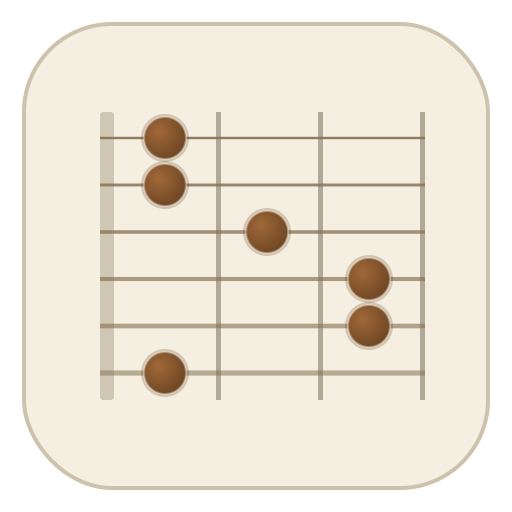
Guitar chord identifier
Tap the notes you're holding and Fretboard names the chord, slash chords and inversions included. Hear it back through a synth and pedalboard, in standard tuning, drop D, open G, DADGAD and more.
How it works
Built out of years of writing songs and stumbling onto chord shapes I couldn't name. I wanted something I could pull up on the go to figure out what I was actually playing, hear it back, and run it through some pedals. So here it is.
- 1
Put your shape on the neck
Tap the fret each finger is on, and click a string's name at the nut to mute it. The chord is named as you go, slash chords and inversions included, and Space plays it back.
- 2
It reads the shape like a guitarist
The same notes can spell several chords. It weighs the bass note and the voicing, puts the likely name first, and lists the other readings after it.
- 3
Every chord is also an instrument
Strum the shape with Space, or switch to an arpeggio, pick a pattern and let it repeat.
- 4
Run it through the pedalboard
Reverb, drive, modulation and delay sit between the pickup and the amp, and respond while it plays.
- 5
Tune anything
Drop D, DADGAD, open G and more. The note names, the chord names and the sound all follow the tuning.
- 6
Nothing to install
It runs in the browser on a phone or a laptop with no login, and remembers your tuning, sound and pedals.
Chord library
A page for every chord: shapes up the neck, the notes, the keys it belongs to and progressions to try, all playable on this fretboard.
Guides
The things a chord chart assumes you already know, from reading the diagram to why a chord is called what it is.
- How to read a guitar chord diagramWhat the lines, dots, numbers, circles and crosses on a chord chart mean, how barres and fret numbers are drawn, and how to turn x32010 into a C chord.
- How guitar chords get their namesWhy C E G is C major and C E G B D is Cmaj9: intervals, triads, sevenths, sus and add chords, and how to name a shape you found by accident.
- Slash chords and inversions on guitarWhat C/E and G/B mean, the shapes for the common slash chords, and how a moving bass note under the same chord makes a progression walk.
- Barre chords and the CAGED systemHow the E and A shapes become barre chords for every root, how to get a barre to ring, and how five open shapes map out any chord across the whole neck.
- How to use a capo, with a transposing chartWhat a capo changes and what it doesn't, which shapes to play for any key, a capo chart for the common shapes, and how to clamp it so nothing goes sharp.
- Alternate guitar tunings: drop D, open G, DADGAD and moreHow to get into drop D, open G, open D, DADGAD and the tuned-down tunings, what each one is good for, and chord shapes that work in them.
Questions
Something not covered here? Write to hello@playfretboard.com.
How do I find out what chord I'm playing?
Put the shape on the neck above: tap the fret each finger is on, string by string. Click a string's name at the nut to switch it between open and muted (✕), so it matches what you strum. The chord name, its notes and its intervals update as you go, and Space plays it back so you can check it sounds like your guitar.
Why does it show more than one name?
The same notes can often be read from different roots. C, E, G and A are C6 with C in the bass and Am7 with A in the bass. Fretboard shows its best guess first and lists the other readings after "also". Click one to see the shape's intervals counted from that root instead.
What does the slash in a name like C/E mean?
The note after the slash is the bass, the lowest note you play. C/E is a C major chord with E on the bottom. The identifier always reads your lowest string as the bass, so it tells you when a shape is an inversion instead of quietly calling it the plain chord.
Does it work in drop D, open G or DADGAD?
Yes. Pick a tuning from the menu at the top: standard, drop D, open G, open D, open E, open A, DADGAD, and a half or whole step down. The note names, the chord identifier and the sound all follow the tuning, and the capo works the same way, from the menu or by dragging it along the neck.
Can it listen to my guitar?
Not yet. You enter the notes by tapping the neck, which also means it works anywhere, with no microphone permission and nothing to install.
Is it free?
Yes. There is no account and nothing to sign up for. Your tuning, sound and pedal settings are saved in your browser, and the site is paid for by ads.